What if your credit cards and IDs are missing?
August 19, 2026







Get latest updates on Panzer IT security solutions and product news
Ransomware is one of the most disruptive cybersecurity threats facing businesses today. A successful attack can lock access to critical files, interrupt business operations, expose confidential information, and lead to significant financial and reputational damage.
But how does ransomware enter an organization's IT environment?
Cybercriminals use several methods to gain access to computers, servers, applications, and corporate networks. These may include phishing emails, compromised passwords, malicious downloads, and unpatched software vulnerabilities. Once inside a network, attackers may attempt to spread to additional systems, steal sensitive data, and deploy ransomware.
Understanding how ransomware spreads is the first step toward building a stronger cybersecurity strategy.
In this guide, we explore nine common ransomware infection methods and practical steps businesses can take to reduce their risk.
What Is Ransomware?
Ransomware is a type of malicious software that prevents users or organizations from accessing their data or systems, typically by encrypting files. Attackers then demand payment in exchange for a purported way to restore access.
Some ransomware attacks also involve data theft. In these cases, cybercriminals threaten to publish or sell stolen information, even if the organization has backups available.
Ransomware can affect businesses of all sizes, making preventive security controls and a tested recovery plan essential.
9 Common Ways Ransomware Spreads
1. Phishing Emails and Malicious Attachments
Phishing is a common method used to deliver malware or steal login credentials. Attackers send emails that appear to come from trusted sources, such as suppliers, customers, banks, or colleagues.
These emails may contain malicious attachments or links to fraudulent websites. If a recipient opens a dangerous file, enables malicious content, or enters credentials into a fake login page, attackers may gain an entry point into the organization's systems.
How to prevent it:
Train employees to recognize suspicious emails and unexpected attachments.Use email security and anti-phishing protection.Verify unusual payment requests or urgent instructions through another channel.Enable multifactor authentication (MFA) on important accounts
2. Malicious Downloads and Fake Software
Cybercriminals may disguise malicious files as legitimate software, software updates, document viewers, or free utilities. Users who download software from untrusted websites can unknowingly install malware.
In some cases, compromised websites or misleading advertisements may direct users to dangerous downloads.
How to prevent it:
Download software only from trusted, verified sources.Restrict software installation to authorized users.Use endpoint protection to detect suspicious files and behavior.Keep operating systems and applications updated.
3. Unpatched Software and Security Vulnerabilities
Outdated operating systems, applications, VPN appliances, and internet-facing servers may contain vulnerabilities that attackers can exploit to gain unauthorized access.
If a weakness remains unaddressed, it can provide a route into the network. Attackers may then use that access to compromise additional systems or deploy ransomware.
How to prevent it:
Apply security patches promptly, prioritizing actively exploited vulnerabilities.Maintain an inventory of hardware, software, and internet-facing assets.Conduct regular vulnerability assessments.Use authorized penetration testing to validate security weaknesses.Replace or isolate unsupported systems where necessary.
4. Weak or Stolen Passwords
Attackers may obtain passwords through phishing, credential theft, password reuse, or data breaches. They may also attempt to guess weak credentials or misuse accounts that have been compromised elsewhere.
If a stolen account has access to business systems, attackers may use it to move further into the network.
How to prevent it:
Enforce strong, unique passwords and use a trusted password manager.Enable MFA, especially for administrator, email, VPN, and remote-access accounts.Remove unused accounts and review access permissions regularly.Monitor unusual sign-in activity and repeated failed login attempts.
5. Exposed Remote Desktop and Remote Access Services
Remote access technologies help employees and IT teams work from different locations. However, services such as Remote Desktop Protocol (RDP) can become an entry point when they are exposed to the internet without adequate protection.
Attackers may target weak credentials, compromised accounts, or poorly secured remote access systems.
How to prevent it:
Avoid exposing remote administration services directly to the internet.Use a secure VPN or zero-trust remote access solution.Require MFA for remote connections.Restrict access to approved users and devices.Monitor remote sessions and investigate unexpected activity.
6. Compromised Websites and Drive-by Downloads
Some websites are compromised by attackers and used to distribute malicious content. In other cases, deceptive advertisements or redirects lead visitors to harmful downloads.
Simply visiting a website does not automatically mean a device will become infected. However, outdated browsers, vulnerable plugins, unsafe downloads, and deceptive prompts can increase the risk.
How to prevent it:
Keep browsers, plugins, and operating systems updated.Use secure web filtering and endpoint protection.Avoid downloading unexpected files or installing unknown browser extensions.Restrict access to known malicious or inappropriate websites where appropriate.
7. Infected USB Drives and Removable Media
Removable storage devices can introduce malicious files into a business environment. An infected USB drive may be used to transfer malware between devices, particularly when security controls are weak.
Unknown USB devices can also be used for social engineering, encouraging users to open files or run programs.
How to prevent it:
Restrict the use of unauthorized removable media.Scan approved USB devices before accessing their contents.Disable automatic execution of removable-media content.Use endpoint security policies to control USB storage access.Educate employees not to connect unknown devices to company computers.
8. Third-Party Vendors and Supply Chain Compromise
Businesses often rely on external software providers, IT service companies, managed service providers, and other partners. If a third party is compromised, attackers may attempt to use its software, credentials, or trusted access to reach customer systems.
This makes supply chain security an important part of ransomware prevention.
How to prevent it:
Assess the security practices of critical vendors.Limit third-party access to the systems required for their work.Require MFA and time-limited access where practical.Monitor vendor accounts and remote support tools.Review software updates and integrations through appropriate security controls.
9. Lateral Movement Across Connected Networks
Ransomware does not always infect every system at the same time. After gaining an initial foothold, attackers may attempt to obtain higher privileges, steal credentials, and move between connected computers and servers.
Poorly segmented networks and excessive administrator permissions can allow an intrusion to affect more systems.
How to prevent it:
Separate critical servers, user devices, and backup environments using network segmentation.Apply the principle of least privilege.Use endpoint detection and response (EDR) to identify suspicious activity.Monitor network traffic, privileged accounts, and unusual access patterns.Maintain secure, isolated backups and regularly test recovery procedures.
How Can Businesses Protect Themselves Against Ransomware?
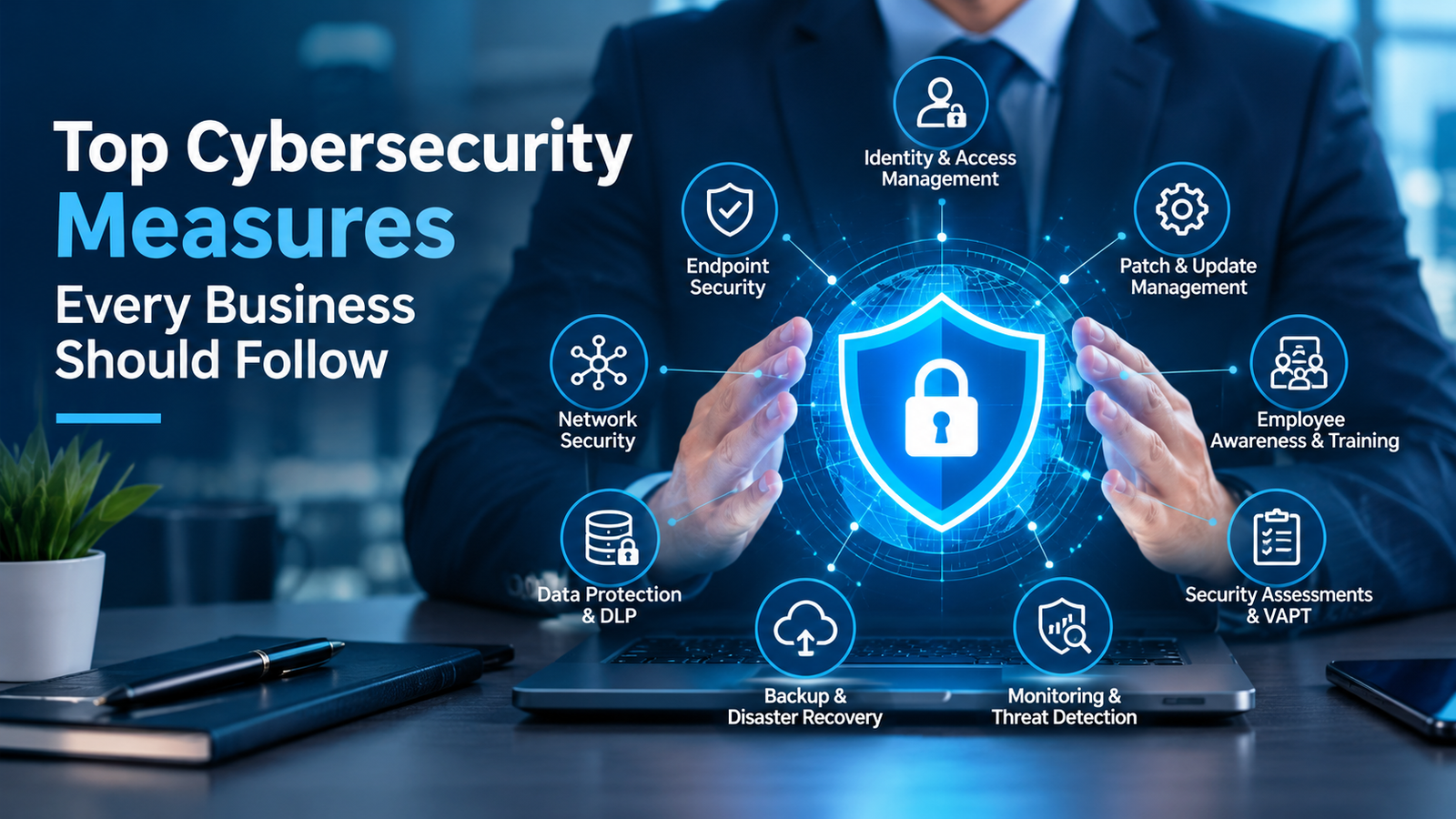
No single security product can prevent every ransomware attack. A layered security approach helps reduce the likelihood of infection and limits the damage if an attack occurs.
Implement Endpoint Protection
Deploy and regularly update endpoint protection across workstations and servers. Advanced endpoint detection and response capabilities can help identify suspicious behavior and support investigation and containment.
Secure Email and Web Access
Use email filtering, anti-phishing controls, and web protection to reduce exposure to malicious links, attachments, and downloads.
Keep Systems Updated
Maintain a documented patch-management process. Prioritize critical vulnerabilities, especially those affecting internet-facing systems and services.
Strengthen Identity and Access Management
Enforce MFA, use strong authentication, restrict administrative privileges, and regularly review user access. Secure remote access and disable accounts that are no longer required.
Maintain Secure Backups
Keep multiple backup copies in separate locations or environments. Where possible, use offline or immutable backups that attackers cannot easily alter or delete.
Test restoration regularly to verify that critical business systems and data can be recovered within acceptable timeframes.
Monitor and Respond to Threats
Use security monitoring and incident-response procedures to investigate suspicious activity quickly. A documented response plan should identify who to contact, how to isolate affected systems, and how to recover safely.
What Should You Do If You Suspect a Ransomware Attack?
If ransomware activity is suspected, quick and coordinated action is important.
Isolate affected devices: Disconnect compromised systems from wired and wireless networks where safe to do so, following your incident-response procedures.Contact your IT or security team: Escalate the incident immediately and involve qualified incident-response professionals.Protect unaffected systems: Restrict access to critical systems and backups to reduce the risk of further spread.Preserve evidence: Keep relevant alerts, logs, and ransom messages for investigation.
Avoid unnecessary changes to affected devices.Investigate the entry point: Determine how the attackers gained access and check whether other systems or accounts have been compromised.Recover carefully. Restore from verified clean backups only after addressing the underlying compromise and following a recovery plan.Report the incident where appropriate: Follow applicable legal, regulatory, contractual, and law-enforcement reporting requirements.Do not assume that paying a ransom guarantees data recovery or prevents stolen information from being disclosed. Seek professional advice before making decisions about payment or recovery.
Ransomware can enter a business through phishing emails, malicious downloads, unpatched software, compromised credentials, unsecured remote access, infected removable media, third-party compromises, and other security weaknesses. Once inside, attackers may attempt to move across connected systems and disrupt business operations.
Organizations can reduce their exposure by combining employee awareness, timely patching, strong identity controls, endpoint security, network segmentation, continuous monitoring, and tested backups.
Protecting your business starts with identifying security gaps before attackers exploit them.
Panzer IT helps businesses explore cybersecurity solutions suited to their IT environments and security requirements. Contact Panzer IT to discuss endpoint protection, vulnerability assessment, data security, and other measures that can strengthen your organization's cyber resilience.
August 19, 2026
October 24, 2023